
Power, Comfort, and Convenience: Lifestyle Tips for Better Charging, Audio, and Desk Setups
A smooth daily routine often depends on the small things working the way they should. Your phone needs to be charged when you leave the house. Your earbuds need to be ready for a call or workout. Your desk should feel comfortable enough for work, studying, browsing, or creative projects. Your devices should support your day instead of slowing you down.
That is where smart tech habits can make a real difference. Charging accessories, portable power solutions, audio gear, wearable devices, and desk setup products may seem simple, but they can improve how you work, relax, travel, and stay organized. A better tech setup does not have to be expensive or complicated. In many cases, it starts with organizing your cords, choosing reliable charging products, improving your workspace, and creating a more comfortable audio experience.
Whether you work from home, run a busy household, travel often, study online, or just want your everyday tech to feel easier to manage, these lifestyle tips can help you create a more powerful, comfortable, and convenient routine.
Create a Charging Station That Works for Your Life
One of the easiest ways to improve your daily routine is to create a dedicated charging station. Many people have charging cords scattered around the house, which can lead to messy counters, lost cables, and devices that are not fully charged when needed.
A charging station gives your devices a clear home. It can be placed on a nightstand, kitchen counter, entryway table, office desk, or living room shelf. The goal is to keep your most-used devices charged and easy to find. Phones, earbuds, smartwatches, tablets, and portable power banks can all be stored in one organized space.
A multi-device charger is especially useful for families or anyone who uses more than one device daily. Instead of plugging chargers into several different outlets, you can power multiple items in one place. This reduces clutter and makes it easier to keep track of your essentials.
To make your charging station even more useful, add a small tray or organizer for extra cables, wall adapters, and earbuds. Keeping everything together prevents the common problem of searching for a charger right before leaving the house. A clean charging area also helps your home feel more organized and less stressful.
Keep Portable Power Ready for Busy Days
Portable power is one of the most practical tech upgrades for modern life. A power bank can be helpful during travel, long workdays, outdoor activities, school, appointments, road trips, and emergencies. Even when you do not use it every day, having backup power nearby gives peace of mind.
A portable charger is especially useful if you rely on your phone for directions, communication, payments, photos, or work tasks. When your battery gets low, you do not always have time to find an outlet. A charged power bank can keep you connected when you are away from home.
It is smart to keep one power bank in your bag, one in your car, or one near your desk. Make sure to recharge it regularly so it is ready when you need it. A power bank that sits empty in a drawer will not help during a busy day.
Short charging cables are useful to pair with portable power banks because they are easier to carry and less likely to tangle. A small tech pouch can keep your power bank, cable, wall adapter, and earbuds together in one place. This is especially helpful for people who travel often or spend long hours outside the home.
Reduce Cord Clutter with Better Cable Management
Cords can quickly make a room feel messy, even when the rest of the space is clean. Charging cables, computer cords, speaker wires, monitor cables, and power strips can pile up behind desks, nightstands, and entertainment centers.
Better cable management can instantly improve the look and feel of your space. Cable clips, cord wraps, cable sleeves, and under-desk trays are simple tools that help keep cords neat. You do not need a complicated system. Even a few small changes can make your setup look cleaner.
Start by removing cords you no longer use. Many people keep old cables that no longer match their devices. Sort through your cords and keep only the ones that are useful. Then group cables by purpose, such as phone charging, computer accessories, audio equipment, and travel.
For your desk, use cable clips to keep charging cords from falling behind the table. For your entertainment area, bundle extra cable length so it does not hang loosely. For travel, use small cord wraps or a pouch to stop cables from tangling in your bag.
A cleaner cable setup makes your home feel more organized, and it also makes your devices easier to use.
Build a More Comfortable Desk Setup
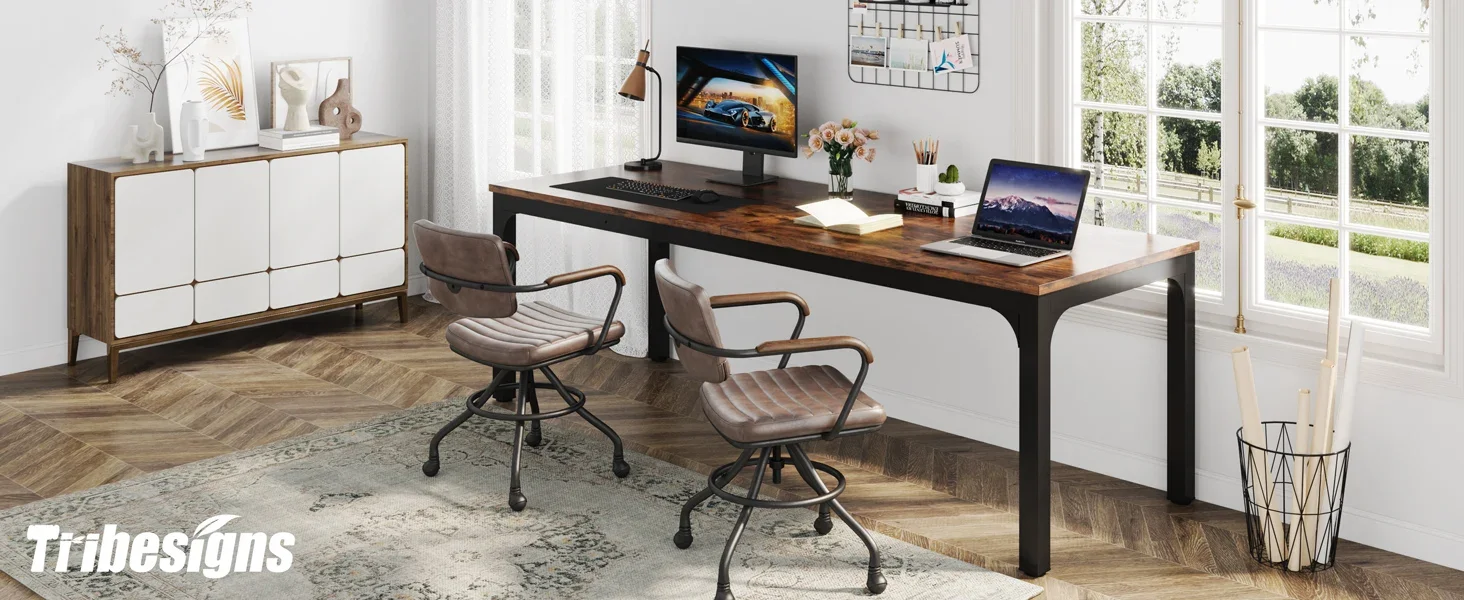
Your desk setup can affect your comfort, focus, and productivity. Whether you work from home, manage an online store, study, create content, or simply use your computer for everyday tasks, a comfortable desk makes a big difference.
Start with screen height. If your laptop or monitor sits too low, you may find yourself looking down for long periods, which can cause neck and shoulder discomfort. A laptop stand or monitor riser can bring your screen closer to eye level. Pairing your laptop with an external keyboard and mouse can also make typing and browsing more comfortable.
Lighting is another important part of a good desk setup. A desk lamp can reduce eye strain and make your workspace feel warmer and more inviting. Good lighting is also helpful for video calls, online meetings, and content creation.
A desk mat can help define your workspace and make your keyboard and mouse area feel smoother. A wrist rest, mouse pad, or ergonomic mouse may also improve comfort during longer sessions.
The best desk setup is not always the most expensive one. It is the one that supports how you actually work. Keep your most-used items close, remove clutter, and create a space that feels calm and easy to use.
Use Computer Accessories to Improve Productivity
Computer accessories can help your workday feel more efficient. A USB hub is a great example. Many laptops have limited ports, especially newer models. A hub allows you to connect extra devices such as a keyboard, mouse, webcam, external drive, memory card, or monitor.
A wireless keyboard and mouse can also make a desk feel cleaner and more flexible. Without extra cords, your workspace can look more open and organized. For people who use a laptop daily, external accessories can make the experience feel more like a full desktop setup.
A phone stand is another helpful desk accessory. It keeps your phone visible and upright, making it easier to check notifications, join calls, follow instructions, or use your phone as a second screen. It also prevents your phone from getting buried under papers or other desk items.
A webcam light or small ring light can be useful for video meetings, online classes, or content creation. Clear lighting helps you appear more professional and confident on camera.
Simple accessories can improve your workflow by making your devices easier to reach, view, charge, and connect.
Upgrade Your Audio for Work and Relaxation
Audio tech plays a big role in daily comfort. Good sound can help you focus, relax, exercise, cook, clean, or enjoy entertainment. Wireless earbuds, headphones, Bluetooth speakers, and computer speakers all serve different needs.
Wireless earbuds are great for calls, workouts, commuting, errands, and casual listening. They are lightweight, portable, and easy to keep nearby. Noise-reducing headphones are helpful for focused work, especially in busy homes or shared spaces. They can help reduce distractions and create a calmer environment.
A Bluetooth speaker can bring music into different areas of your home. You can use it in the kitchen while cooking, in the bathroom while getting ready, on the patio during warm weather, or at your desk during the workday. Music can change the mood of a room and make everyday tasks feel more enjoyable.
For desk setups, a good pair of computer speakers or headphones can improve meetings, videos, music, and online learning. Clear audio makes a difference, especially if you spend a lot of time on your computer.
The goal is to match your audio gear to your lifestyle. Choose portable earbuds for movement, headphones for focus, and speakers for shared listening.
Make Your Nightstand More Functional
A nightstand often becomes a small tech center without much planning. Phones, watches, earbuds, chargers, lamps, books, and other items can quickly crowd the space. A few simple changes can make your nightstand more useful and less cluttered.
A wireless charging stand can keep your phone upright and charged overnight. This makes it easier to see the time, check an alarm, or view notifications without picking up the phone. A small charging dock for a smartwatch or earbuds can keep all your essentials together.
Try to avoid filling your nightstand with too many cords. Use a cable clip to hold your charging cable in place or choose a multi-device charger that reduces the number of wires. A small tray can hold your watch, earbuds, glasses, or other daily items.
Keeping your nightstand organized can help your mornings feel smoother. When your devices are charged and easy to find, you can start the day with less stress.
Improve Your Entertainment Space
Charging, audio, and desk accessories are not just for work. They can also improve how you relax at home. Your entertainment area may include a TV, streaming device, soundbar, speakers, gaming accessories, remotes, chargers, and controllers. Without organization, this space can get messy fast.
Start by creating a place for remotes and controllers. A small basket, tray, or drawer can keep them from getting lost. Charging docks can help keep gaming controllers, wireless headphones, or other accessories ready to use.
Cable management is especially useful behind entertainment centers. Bundling cords and keeping power strips organized can make the area look cleaner and easier to maintain.
Audio upgrades can also make entertainment more enjoyable. A speaker, soundbar, or wireless headphones can improve movies, shows, games, and music. Better sound can make your space feel more complete without requiring a major setup.
Choose Tech That Solves Real Problems
The best technology is practical. It should make your day easier, not add more clutter. Before buying new accessories, think about the problems you want to solve.
Are your devices always running out of battery? A portable power bank or charging station may help. Is your desk messy? Cable organizers and a desk tray may be useful. Do you have trouble focusing? Noise-reducing headphones could make a difference. Are your video calls too dark or hard to hear? A webcam light and better microphone or earbuds may help.
Choosing products based on your actual routine helps prevent unnecessary purchases. You do not need every gadget. You only need the ones that fit your lifestyle.
Keep Your Tech Clean and Ready
Maintaining your tech is just as important as buying it. Dust, tangled cords, damaged cables, and cluttered drawers can make even good devices harder to use.
Wipe down keyboards, earbuds, phone stands, chargers, and desk accessories regularly. Replace frayed or damaged cables. Keep charging ports clean and avoid overloading outlets. Recharge portable power banks every so often so they are ready when needed.
It also helps to review your tech setup every few months. Remove accessories you no longer use, reorganize your cables, and clean up your desk or charging station. Small maintenance habits keep your home feeling organized and your devices working better.
Final Thoughts
Power, comfort, and convenience are three important parts of a better tech lifestyle. When your devices are charged, your audio works well, and your desk feels comfortable, your day becomes easier to manage.
A good setup does not have to be complicated. Create a charging station, keep a power bank ready, organize your cords, improve your desk comfort, and choose audio gear that supports your routine. These small upgrades can help you feel more prepared, focused, and relaxed.
The right accessories can make your home, workspace, and travel routine feel smoother. Instead of dealing with low batteries, messy cables, uncomfortable workspaces, or poor sound, you can build a setup that works for you every day. With simple planning and the right tech
essentials, your devices can support a lifestyle that feels more organized, comfortable, and connected
